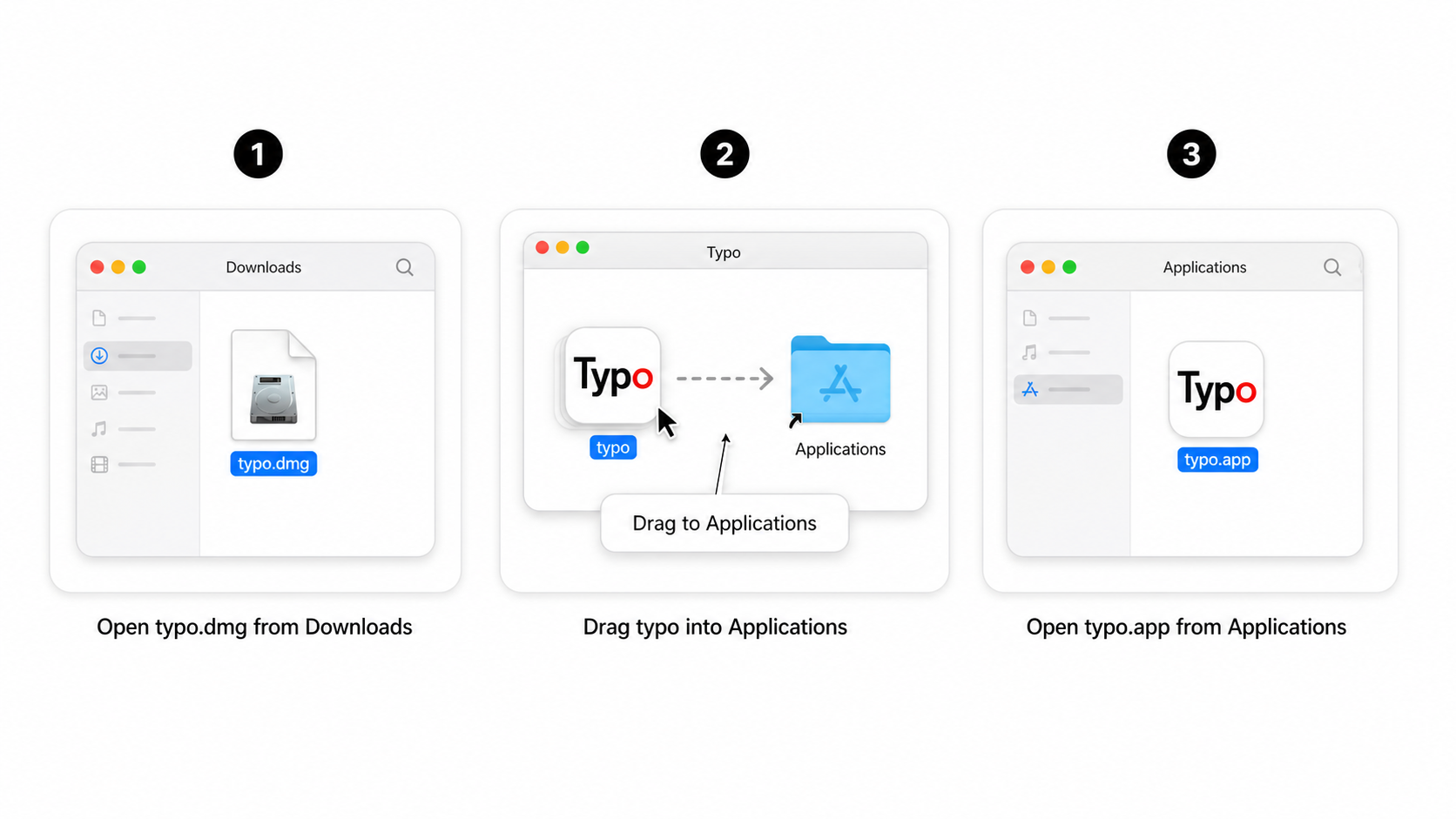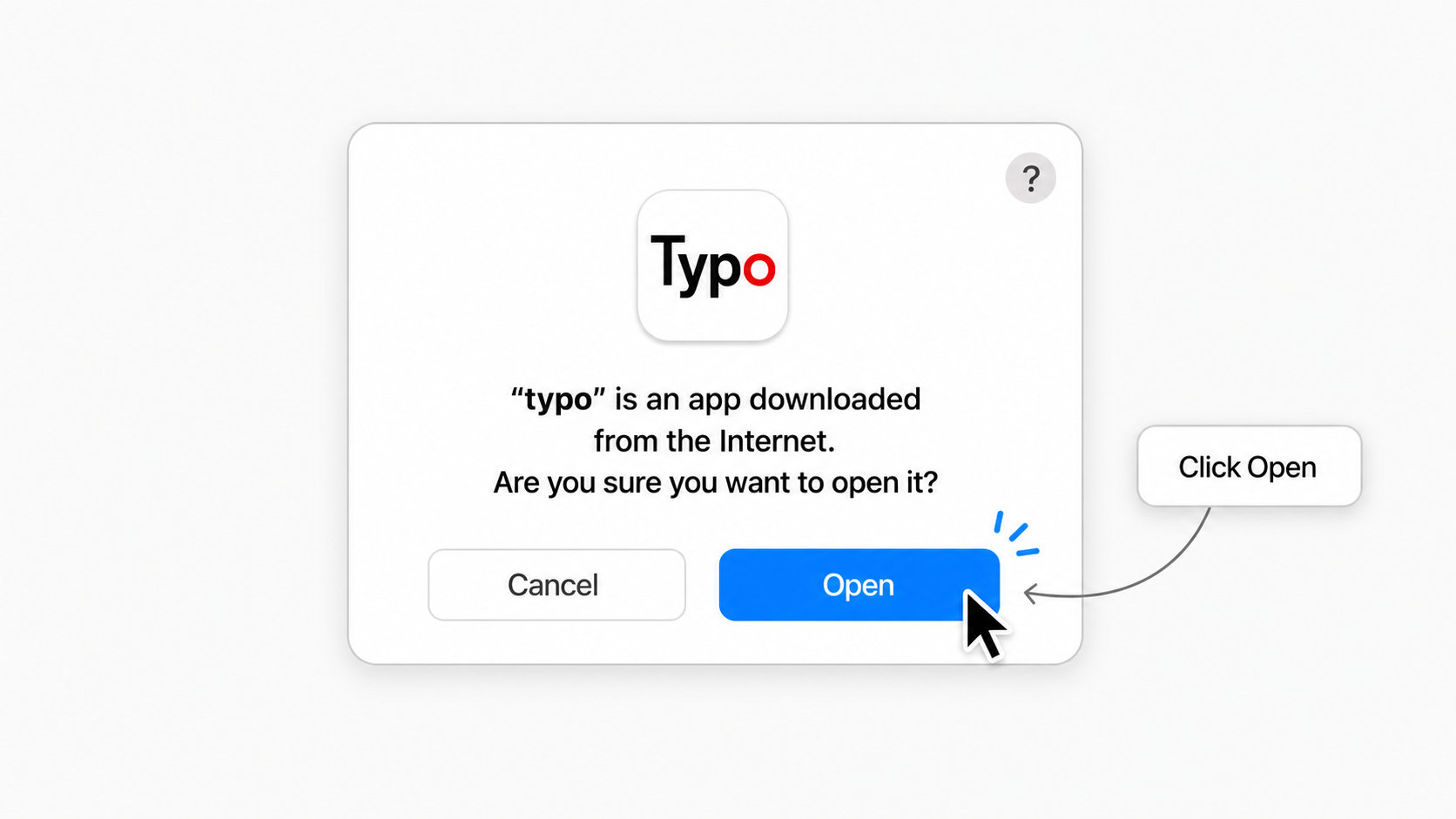
Download typo, install on each platform, configure models, and grant system permissions.
typo is a Tauri + Vue desktop app that refines selected text with AI and replaces it at your cursor.
Get the latest build from the typo download page. For older builds, see the Releases page.
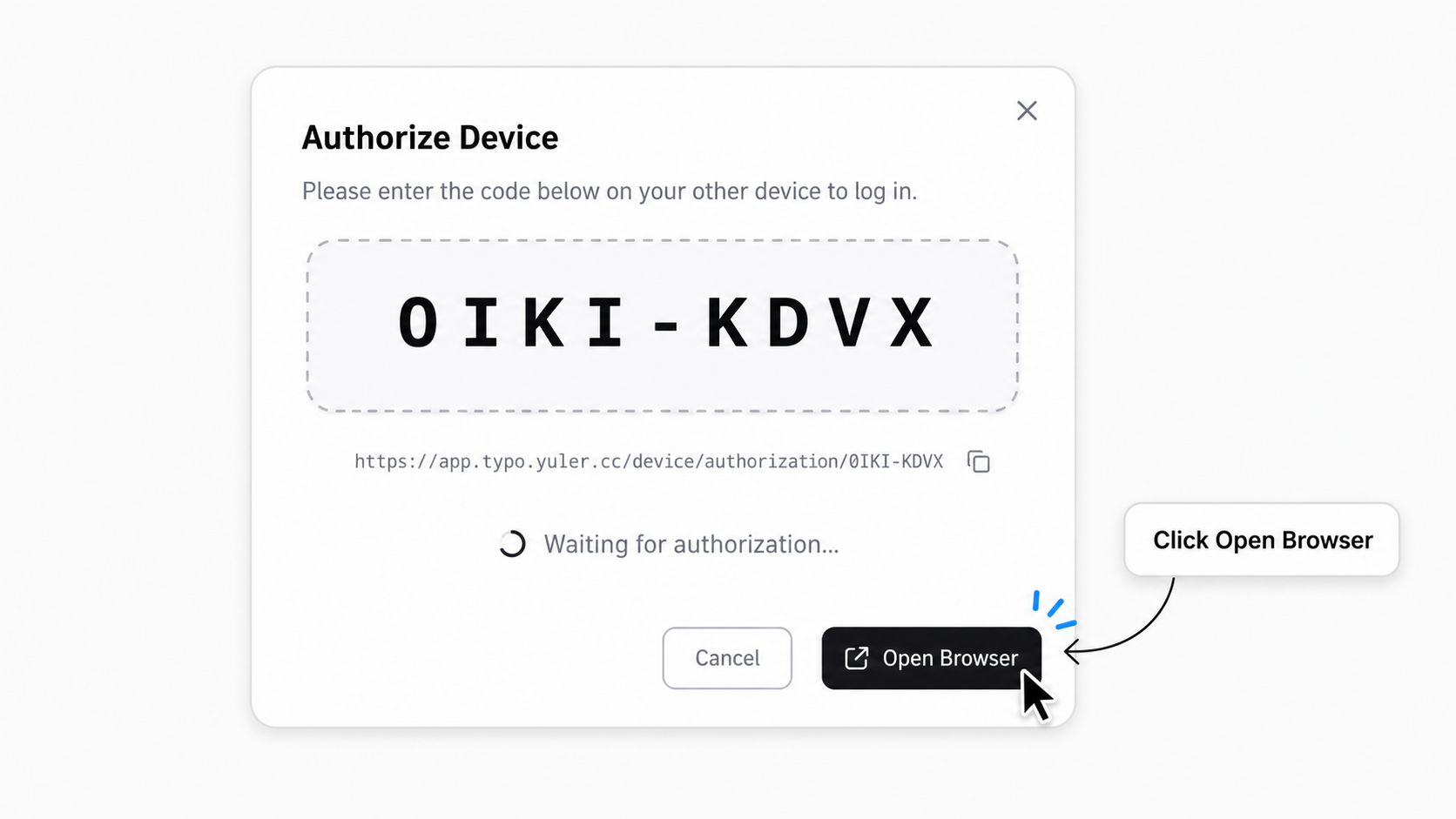
After signing in, typo shows an authorization code in the desktop app. Click Open Browser to continue.
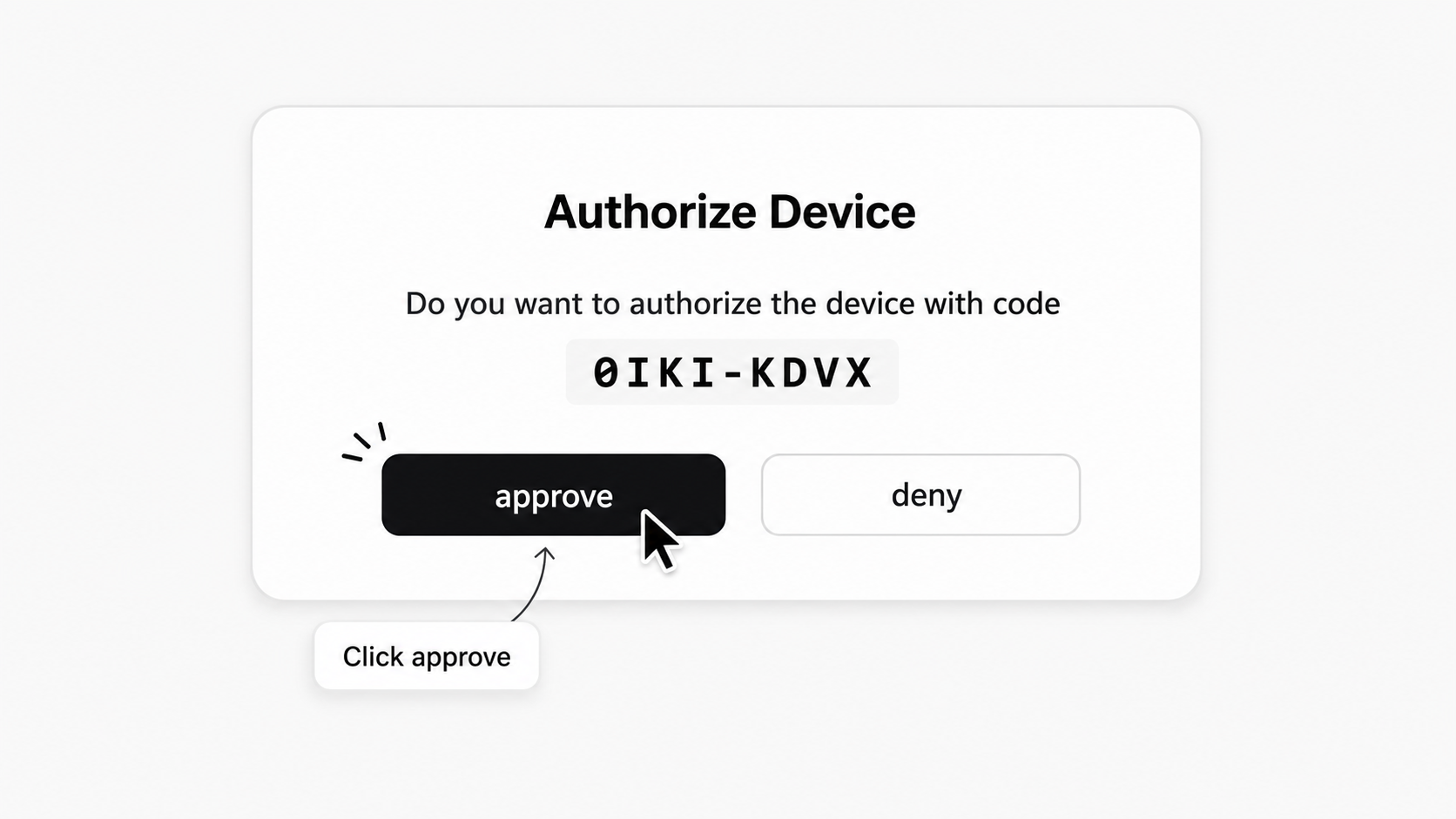
Approve the same code in your browser to finish device authorization.